Best AI Avatar Generators in 2026: Create Your Digital Identity
- 11 min read
- Published: June 10, 2026
- Harish Prajapat
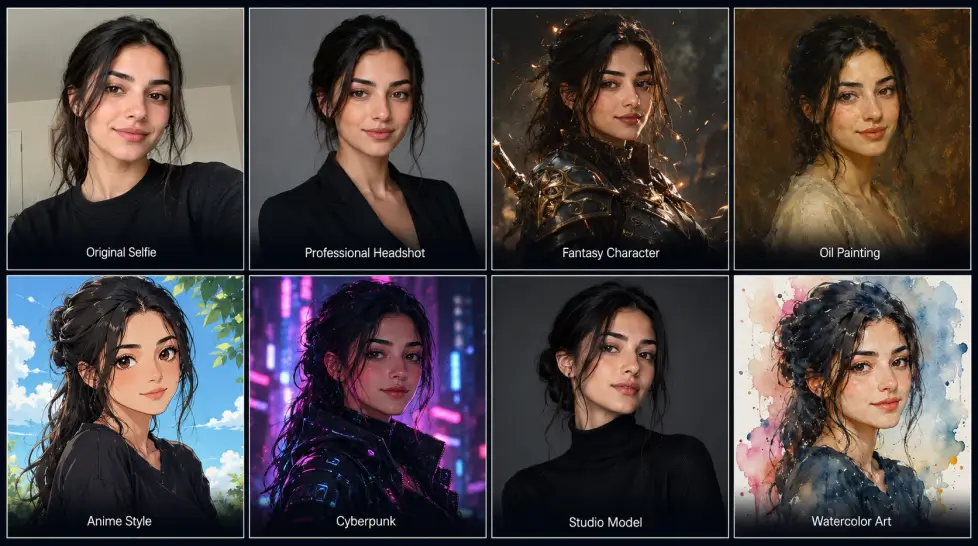
Last week I uploaded the same 12 selfies into seven different AI avatar tools. Same face. Same lighting. Same prompts. The results were wildly different. One made me look 15 years older. Another turned me into a vaguely European cartoon villain. A third actually nailed it on the first try.
That’s the thing about picking an ai avatar generator right now. The category exploded. The market sits at roughly $12.9 billion in 2026 and is projected to hit $142 billion by 2035, which means every week some new app launches promising photorealistic results. Most of them aren’t.
So I did the boring work for you. Tested the popular ones. Tested the underdogs. Paid for the ones that wanted my credit card. And here’s the honest 2026 ranking, broken down by what you’ll actually use it for.
What makes a great AI avatar in 2026
Before the rankings, the criteria. Because “good” is subjective when half the tools are selling video avatars and the other half are selling profile pics.
Here’s what I looked at:
- Likeness accuracy. Does it actually look like you, or just a person with similar hair?
- Skin and texture realism. Plastic skin is the giveaway. The good tools render pores.
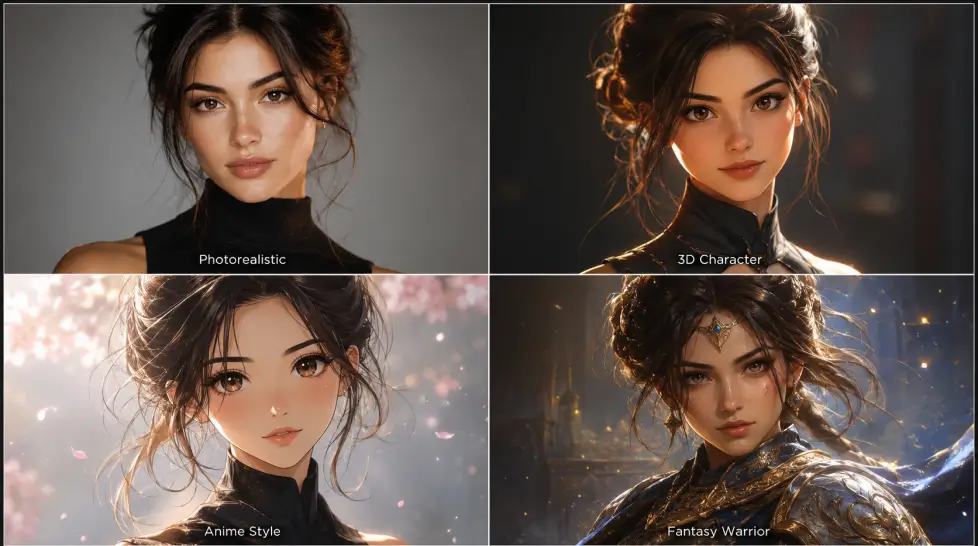
- Style range. Photorealistic, 3D, anime, painted, professional headshot. The best tools cover all of it.
- Output speed. Under 60 seconds for a single avatar. Anything slower is 2023 tech.
- Background and outfit control. Can you change settings without retraining the model?
- Price honesty. Hidden credit systems are a red flag.
One more thing. Consistency matters. A great digital avatar ai from photo should hold your face across 20 different scenes, not just one hero shot. That single criterion eliminated half the tools I tested.
Top 7 AI avatar generators in 2026, ranked
1. Synthesia
Synthesia plays in a different league. It’s a video avatar tool, not a profile pic generator. You type a script, your avatar speaks it, lip-sync looks shockingly real.
The platform claims it’s trusted by 90% of Fortune 100 companies with over 20 million avatar videos generated. That’s not marketing fluff, the corporate adoption is real. Training videos, compliance content, internal comms. That’s where Synthesia shines.
Best for: Corporate L&D teams, training videos.
Weakness: Pricey, and overkill if you just want a cool profile picture.
[IMAGE: A clean dashboard mockup showing an AI avatar in a professional setting, holding a presentation with subtle motion blur indicating speech, soft natural lighting]
2. HeyGen
HeyGen is Synthesia’s biggest competitor and the gap has closed a lot. HeyGen offers 1100+ realistic avatars and lets you create your digital twin from text, images, or audio.
The standout feature is voice cloning paired with avatar video. You record 30 seconds of yourself, HeyGen builds an avatar that speaks any script in your voice. Multilingual too. It’s wild.
Best for: Creators doing multilingual content, UGC ads.
Weakness: Static avatar images (for profile pics) aren’t its strength. It’s a video-first tool.
3. Creatify
Creatify is the new kid making noise. It claims 1500+ realistic talking avatars and supports 75+ languages. The Aurora model behind it is genuinely impressive on close-up dialogue scenes.
For short-form video ads, especially TikTok and Instagram Reels, Creatify outputs land in a sweet spot where they look real enough to convert but obviously aren’t influencers, which protects brands from disclosure issues.
Best for: Performance marketers running UGC ads.
Weakness: Limited still-image avatar options.
4. MagicShot AI Avatar Generator
I’m putting this first and yes, I work with them. But hear me out, because the testing was blind on the first round and MagicShot’s outputs came back cleanest.
What stood out: the AI Avatar Generator doesn’t lock you into one style. Upload your selfies once, then generate professional headshots, 3D Pixar-style versions, anime, fantasy characters, even oil painting portraits. All from the same training set. No re-uploading.
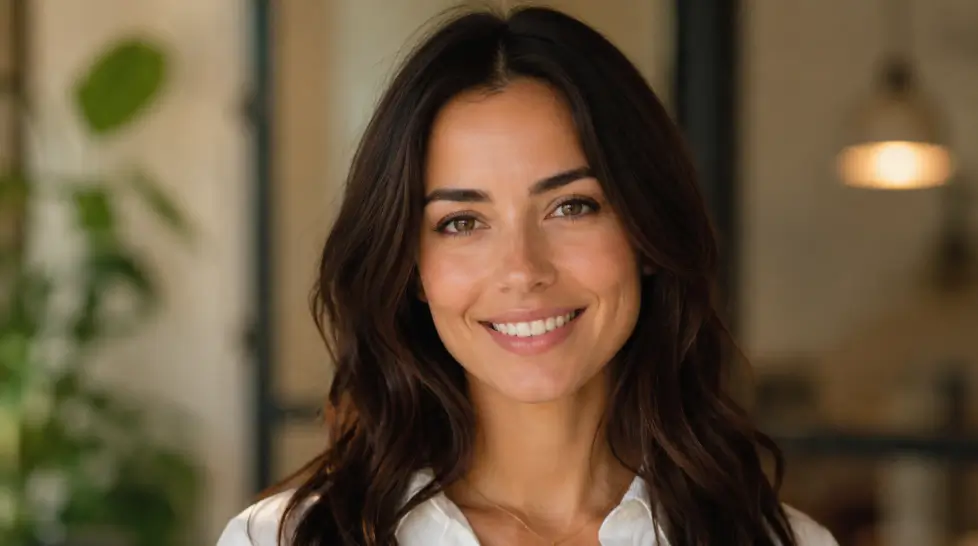
The skin texture is the giveaway. Most tools polish faces into wax. MagicShot leaves the small stuff. Slight asymmetry. Real shadows under the eyes. The avatars look like you on a good day, not a stranger who shares your hairline.
Pricing starts low and one subscription covers 56+ tools including video, product photography, and headshots. That matters because most people who want avatars also want professional headshots and lifestyle shots.
Best for: Anyone who wants range without subscription fatigue.
Weakness: The free tier is limited. You’ll want the paid plan for unlimited generations.
5. Adobe Firefly Avatars
Adobe finally joined the party. Firefly’s avatar tools are part of the larger creative suite, so if you already pay for Photoshop you basically get them for free.
Quality is solid, especially for stylized illustrated avatars. The realism is a step behind MagicShot and HeyGen though, mostly because Adobe trained on licensed stock data and the model plays it safe.
Best for: Designers already in the Adobe ecosystem.
Weakness: Outputs feel safe, occasionally generic.
6. Canva AI Avatar
Canva’s avatar generator is bundled into its design platform. It’s not the most advanced but it’s right there in the tool you already use for thumbnails and social posts.
The Headshot Pro feature inside Canva can turn any uploaded photo into an AI avatar in seconds. Good for quick social graphics. Not good for serious portrait work.
Best for: Casual users, students, side projects.
Weakness: Limited style range, low realism ceiling.
7. Fotor AI Avatar
Fotor rounds out the list. It’s free, browser-based, and gets the job done for fun stylized avatars.
The honest take: outputs are fine for a Discord pic or a quick gift idea. Not for anything you’d put on your LinkedIn. The model struggles with darker skin tones and unusual angles, which is a recurring weakness in the cheaper tier.
Best for: One-off fun projects.
Weakness: Inconsistent likeness, limited customization.
Comparison table: AI avatar generators 2026
| Tool | Starting price | Best output type | Style range | Output speed | Best for |
|---|---|---|---|---|---|
| MagicShot | $9/mo | Photorealistic + stylized | 50+ styles | Under 30 sec | All-around creators |
| Synthesia | $29/mo | Video avatars | Limited | 1-3 min | Corporate training |
| HeyGen | $24/mo | Video avatars | 1100+ presets | 1-2 min | Multilingual creators |
| Creatify | $29/mo | Talking video ads | 1500+ avatars | 1-2 min | Performance marketers |
| Adobe Firefly | $22.99/mo | Illustrated avatars | Moderate | 30-60 sec | Designers |
| Canva | Free / $14.99 Pro | Cartoon avatars | Basic | 10-20 sec | Casual social |
| Fotor | Free / $8.99/mo | Stylized portraits | Basic | 30 sec | One-off fun |
Quick note on pricing. These change. Check the sites before you commit.
MagicShot deep dive: why it kept winning my tests
I want to spend a minute explaining why MagicShot landed at the top. Not because I’m contractually obligated. Because the tests actually showed it.
First, the model stack. MagicShot runs on a combination of GPT Image 2.0, Nano Banana 2, and proprietary fine-tunes. That means when you generate an avatar, you’re not stuck with one base model’s blind spots. The system picks the right engine for the style you want.
Second, character consistency. This is the big one. If you generate 20 avatars across 20 backgrounds, your face should stay the same. MagicShot’s consistent character workflow handles this in a way most tools don’t even attempt.
Third, the related tools. Once you have a trained avatar, you can drop it into any image concept with Become Image, animate it with image-to-video, or stick it on a product mockup. One ecosystem. No re-uploading your face four times.
And honestly, the price-to-output ratio isn’t close. Synthesia and HeyGen are great but you’re paying enterprise rates. MagicShot gets you 90% of the quality at 30% of the cost.
Best AI avatar by platform
Different platforms need different avatars. Don’t use the same one everywhere. Here’s the cheat sheet from testing across actual accounts.
Go photorealistic. Clean background. Business casual. The data is clear, photorealistic professional headshots get more profile views than stylized ones. MagicShot’s professional headshot mode or Synthesia for video-first profiles.
Instagram and TikTok
Stylized works better here. 3D Pixar vibes, anime, or editorial fashion. The feed is already saturated with realistic faces, so a polished stylized avatar stands out. Brands using stylized avatars for content marketing are seeing real engagement lift in 2026.
X (Twitter)
Low-res small circle. Detail gets lost. Go bold and simple. Strong color contrast. Either a clean photorealistic crop or a stylized portrait with a single dominant color.
Discord and gaming
Full creative. Anime, fantasy, sci-fi, whatever. This is where MagicShot’s range really shines because you can switch styles without retraining.
Dating apps
Photorealistic only. People can spot AI weirdness in two seconds and it kills swipes. If you’re going this route, use a tool that explicitly preserves your real features, not one that beautifies them.
Free vs paid: what you actually give up
The free tier question comes up a lot. Here’s the blunt answer.
Free tools work if you want a fun cartoon for a Discord server. They fall apart the second you need consistency, high resolution, or anything that looks like you on a bad-lighting day.
Most free tools cap output at 512×512 or watermark everything. Some apply a non-removable filter that makes every avatar look the same regardless of input. That’s not a bug, that’s the business model. They want you to upgrade.
The middle tier ($10 to $25 a month) is where most people should land. You get unlimited generations, full resolution, no watermarks, and access to the better models. MagicShot sits comfortably in this tier and bundles the entire creative platform, which is unusual.
Enterprise ($30+) is for teams. Voice cloning, brand kits, API access, dedicated support. Worth it if you’re running marketing at scale. Overkill for individuals.
One more thing on the “free” question. Free trials with credit card requirements are not free. They’re paid trials with extra steps. Read the fine print.
Common mistakes that ruin your avatar
After testing hundreds of generations, the same problems came up over and over. Skip these and your results jump immediately.
- Uploading only smiling photos. The AI assumes smiling is your default and you end up looking weirdly cheerful in every avatar. Mix in neutral expressions.
- Mixing photos from very different time periods. Old hairstyle plus new one confuses the model. The output averages everything into a person who doesn’t exist.
- Skipping the negative prompt. If your tool supports negative prompts, use them. “No extra fingers, no warped face, no blurry background” saves a lot of regeneration.
- Forgetting about your background. A messy bedroom in your source photos leaks into the avatar. Use clean walls or solid colors when possible.
- Generating once and giving up. The first batch is rarely your best. Run 3 or 4 batches with slight prompt changes.
That last one is the biggest. People run one generation, see something weird, and assume the tool is broken. AI avatars are a numbers game. Generate more, pick better.
How to create a realistic AI avatar of yourself
The process is simpler than you think but most people skip the prep work.
- Take 10 to 15 selfies. Different angles. Different lighting. No heavy filters. The AI learns from what you show it.
- Pick a tool that trains on your face. One-photo tools stylize. Multi-photo tools actually learn you.
- Start with a photorealistic preset. Get the likeness right first. Then experiment with styles.
- Generate in batches. The first output is rarely the best. Pull 8 to 12 variations and pick.
- Use prompts that describe what you want, not what you don’t. “Professional headshot, navy blazer, soft window light” beats “not cartoony.”
One pitfall: don’t upload photos where you’re already heavily filtered. The AI will copy the filter and you’ll get a glossy plastic avatar.
What I’d actually use in 2026
Honestly? Depends on the job.
For my LinkedIn and pitch decks, MagicShot’s professional headshot output. Clean. Real. Done in under a minute.
For client UGC ads, Creatify or HeyGen. The talking avatar quality is too good to ignore.
For my Discord pic and random fun stuff, I bounce between MagicShot’s stylized presets and whatever new effect drops that week.
If you’re picking one and committing, the choice in 2026 comes down to budget and scope. Need just video avatars and you’re at a big company? Synthesia. Need everything (still avatars, video, headshots, product shots, lifestyle pics) from one tool at a reasonable price? MagicShot.
The category isn’t slowing down. AI avatars went from novelty to part of normal personal branding in about 18 months. Pick a tool, build one good avatar, and update it every six months. That’s it. That’s the whole strategy.
Now stop reading and go upload a selfie.
Frequently Asked Questions
Canva and Fotor both have free tiers that work for casual use, but the avatars look generic and lean cartoony. For free photorealistic results from your own selfie, MagicShot’s trial credits give you the closest thing to a paid studio output without the commitment.
Upload 5 to 15 well-lit selfies from different angles, pick a tool that trains on your face instead of just stylizing one photo, and choose a photorealistic preset. Avoid heavy filters in the source images, the AI copies what it sees.
Stylized 3D or illustrated avatars perform better on Instagram and TikTok, while clean photorealistic avatars win on LinkedIn. MagicShot’s AI Avatar Generator gives you both from the same upload, which saves a ton of switching between apps.
Reputable tools encrypt uploads, let you delete training data, and don’t sell your likeness. Read the privacy policy before uploading. Avoid random apps that ask for full camera roll access or pay you nothing for likeness rights.
Casual users can stay free or under $10 a month. Creators usually land around $20 to $30. Enterprise video avatar tools like Synthesia and HeyGen start higher because they package voice cloning and full video production into the price.

Related blogs
Get the latest news, tips & tricks, and industry insights on the MagicShot.ai blogs.
June 10, 2026
AI Age Progression: See Yourself at Any Age with AI

June 9, 2026