AI Age Progression: See Yourself at Any Age with AI
- MagicShot Features
- 9 min read
- Published: June 10, 2026
- Harish Prajapat
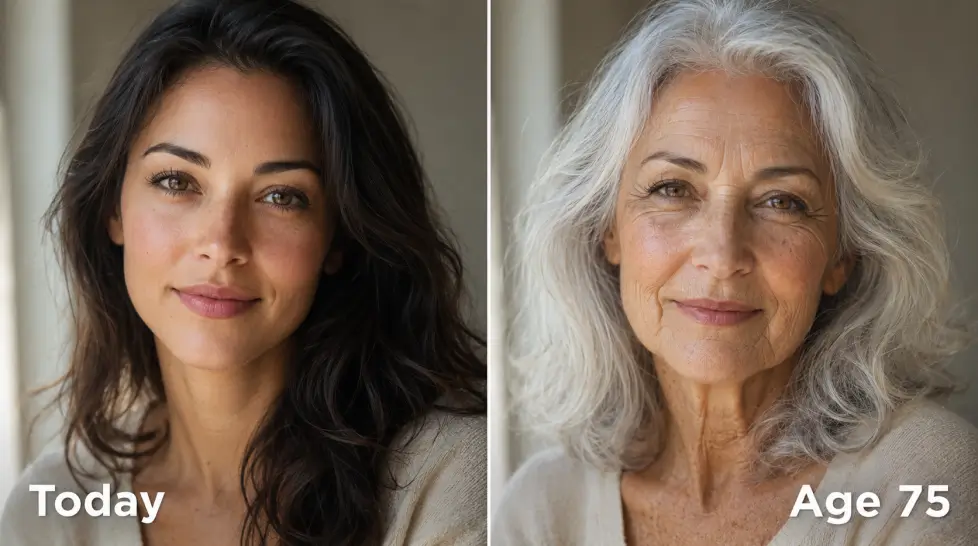
You’ve seen those TikToks. Someone uploads a selfie, hits a button, and bam — they’re 80 years old with their grandma’s exact cheekbones. Creepy. Funny. Strangely emotional.
That’s an AI age progression tool doing its thing. And in 2026, the results have gotten weirdly good.
I tested a bunch of them. Some looked like a bad Photoshop job. Others made me sit there a little too long, just staring at my future face. This guide covers what actually works, how the tech reads your face, and the smart ways people are using it (beyond the obvious party trick).
How AI age progression actually works
Here’s the short version. The tool reads your face — bone structure, skin texture, the way light hits your cheekbones, the gap between your eyes. Then it compares your features to millions of aged faces it’s already studied.
It’s not guessing. It’s pattern matching at scale.
The model knows that skin around the eyes thins out by 50. It knows that jawlines soften around 60. It knows your specific bone structure will probably hold up a certain way. Then it renders a new image that keeps your identity but adds time.
The good ones don’t just slap wrinkles on. They redistribute fat. They thin your hair correctly. They adjust skin tone subtly. Sometimes they even age your eye color a touch (older eyes tend to lose some pigment intensity — wild detail).
The bad ones? They just blur your skin and add gray hair. You can tell instantly.
Why people actually use it
It started as a viral thing. Then it became something else.
I’ve seen people use age progression for stuff I didn’t expect:
- Couples curious about how they’ll look together at 70 (the romantic ones)
- People considering Botox or filler, trying to preview what skipping it looks like
- Writers building character profiles for novels
- Reuniting with old friends and sharing a ‘what you’d look like now’ photo
- Adopted kids or families using it with childhood photos to imagine a parent today
- Smokers and heavy drinkers using it as a wake-up call (this one’s real and kind of dark)
And. The classic. Pure curiosity. You just want to know.
There’s something genuinely useful about seeing your future face. It shifts how you think about right now. Your sunscreen habits. Your sleep. The decisions you’re putting off.
Or it just makes you laugh because you look like your dad. Either way.
Step-by-step: how to use an AI age journey tool
This is the part where most tutorials get boring. So let me just give you the actual workflow that gets good results, not the generic ‘click upload’ nonsense.
1. Pick the right selfie
Don’t use a group photo. Don’t use a filtered one. Don’t use that one where you’re laughing with your eyes closed because the lighting was perfect — the tool needs to see your eyes.
You want:
- Front-facing
- Natural light (window light works great)
- No sunglasses, no heavy makeup, no Snapchat filters
- Hair off your face if possible
- Neutral expression or soft smile
I tested the same tool with a filtered selfie and a clean one. The filtered version aged me into a person I didn’t recognize. The clean version aged me into someone who looked like… me, but older. Big difference.
2. Upload to the tool
Head to the AI Age Journey page and upload your photo. The whole thing takes about 30-60 seconds depending on traffic.
3. Pick your target age
Most tools let you slide between ages. Some snap to specific points — 40, 60, 80. I’d recommend trying multiple ages, not just the extreme. Seeing yourself at 55 is sometimes more striking than seeing yourself at 90, because it feels closer.
4. Generate, then regenerate
First render isn’t always the best one. Try it twice. Sometimes the lighting interpretation shifts and you get a more flattering or more honest result the second time.
5. Save the ones that hit
You’ll know. There’s always one image where you stop scrolling and just… look at it for a second too long. Save that one.
Younger vs older: which direction is more fun?
Most people jump straight to old. But going backward is honestly more interesting.
Seeing yourself as a 5-year-old when you don’t have many childhood photos? That hits different. Especially if you’re adopted, or your family lost photos, or you just don’t remember what you looked like at that age.
The reverse direction also reveals things about your face you never noticed. The shape of your eyes is way more obvious without adult features layered on top. Same with your mouth.
If you want the full experience, do both. Childhood, current, middle-aged, old. Lay them out side by side. It’s a strange and lovely thing to look at your own face across a lifetime in one row.
Want a deeper dive into the prediction side? The post on AI age prediction tools breaks down how the models forecast aging patterns specifically.
What affects accuracy (the honest version)
I’ll be real with you. No AI age progression tool is a crystal ball. It’s a probability machine.
Here’s what it gets right most of the time:
- Bone structure (this barely changes with age)
- Eye shape
- General face proportions
- Skin texture progression based on your current skin
Here’s what it can’t predict:
- Whether you’ll gain or lose weight
- Your actual sun damage (it assumes average)
- Genetic outliers — if your mom looks 40 at 70, the AI doesn’t know that
- Stress, illness, medication impact
- Whether you’ll get into skincare or never touch sunscreen
So treat the output as one possibility. A reasonable, statistically informed possibility. Not destiny.
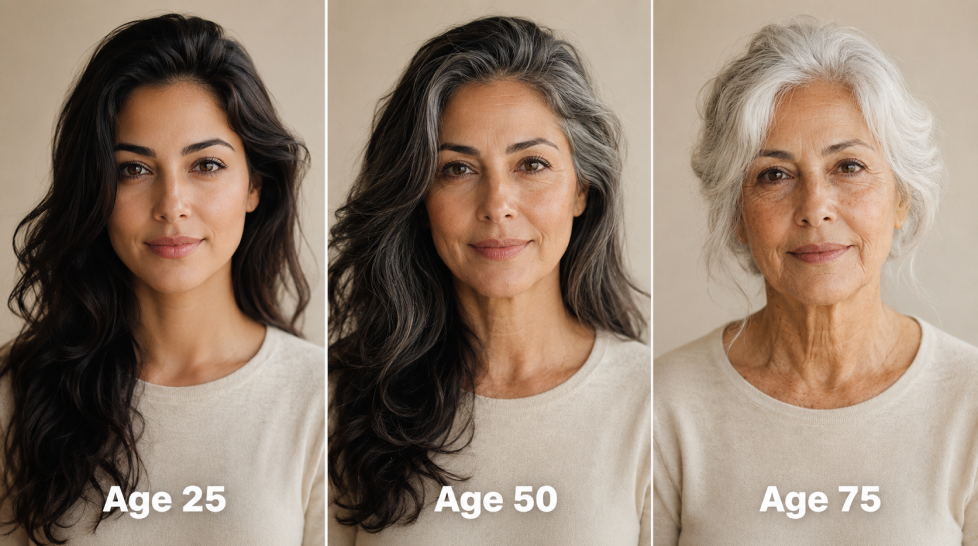
Photo quality matters more than people think
If you upload a blurry, badly lit selfie, the AI has to guess at your features. And it’ll guess wrong. Higher resolution, better lighting, more neutral angle — better results.
If your selfie game is rough, run it through a face enhancer first to sharpen the details. The age progression will read your face way more accurately when it has clean information to work with.
Fun ways people are using AI age progression
Beyond the obvious ‘show my friends’ move, here’s what’s actually happening with this tech right now:
Wedding planning, the long view
Couples generating images of themselves together at 70, framing it, and giving it to each other as gifts. Strange? A little. Romantic? Actually yes.
Social media content
Creators making ‘how I’ll look at every decade’ videos. They’re racking up millions of views. It taps into something universal — everyone wonders, no one knows.
Character building for writers
Novelists using it to age character photos for series that span decades. Way faster than describing aging in your head.
Family memory projects
People taking old photos of deceased grandparents and showing what they would have looked like today. Emotional. Sometimes too emotional. But meaningful.
Skincare motivation
Dermatologists showing patients aged versions with and without sun damage. Apparently this works better than any pamphlet they’ve ever handed out.
Just for laughs
Pet owners aging up their dogs. Friends making bets on who’ll age worst. The internet finds a way.
The 2026 reality check
The realism of these tools jumped hard this past year. Older versions made everyone look like a generic old person — same wrinkles, same hair, same vibe. The new generation actually keeps your identity intact.
You still look like you. Just with time added.
That’s the whole point. If the aged version doesn’t look like a future you, the tool failed. If you immediately see your face in there — same eyes, same expression, same little crooked smile — it worked.
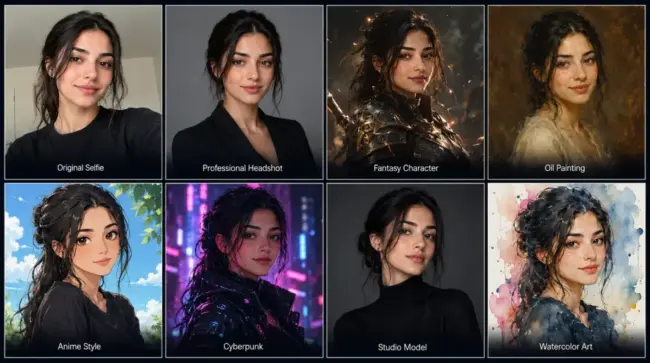
Want to try other creative photo transformations beyond age? The AI Re-Imagine tool lets you turn your photos into completely different styles and concepts, not just aged versions. Worth playing with after you’ve done the age journey.
One thing I wish someone told me before I tried it
The first time you see yourself at 80, you’re going to react. Maybe you laugh. Maybe you get a little sad. Maybe you forward it to your mom because you suddenly look exactly like her.
It’s a tiny emotional experience. Worth the 60 seconds.
Just don’t show it to anyone whose feelings might get hurt. Aging tools have ended at least one date I know of. Tread carefully.
Ready to see your future face?
Pick a clean selfie. Upload it. See where you land in 50 years.
Then send it to your best friend and watch them lose their mind.
Frequently Asked Questions
It’s accurate enough to feel uncanny, but not a medical prediction. It reads your bone structure, skin texture, and facial proportions, then ages them based on patterns from millions of faces. Lifestyle, genetics, and sun exposure can change real outcomes a lot.
Yes. Most age progression tools work both directions. You can roll back the clock to see yourself as a kid or push forward to see your face at 70 or 80. Some let you pick exact ages.
MagicShot’s AI Age Journey lets you try it without a paid commitment, and the results hold up against tools that charge per render. Free tiers usually have credit limits, so plan your shots.
A clean, front-facing selfie with even lighting and no sunglasses or heavy filters. Hair pulled back helps. The clearer your facial features, the more accurate the age progression.
Reputable platforms encrypt uploads and don’t sell your data. Always check the privacy policy before uploading. MagicShot processes images securely and gives you control over your uploads.

Related blogs
Get the latest news, tips & tricks, and industry insights on the MagicShot.ai blogs.

June 9, 2026