


How to Create Product Videos for Amazon and Shopify Using AI
- How-to Guides
- 7 min read
- Published: May 21, 2026
- Harish Prajapat
Static product photos are losing. Hard.
Amazon’s own data shows listings with video convert at a noticeably higher rate than image-only ones, and Shopify merchants who add product video to their detail pages routinely report lifts in add-to-cart. Yet most small sellers still skip video entirely. Why? Because hiring a videographer costs $500 to $5,000 per product, and learning Premiere is a side quest nobody asked for.
That’s where product to video AI changes the math.
I’ve spent the last few months turning product photos into ads using MagicShot’s Product to Video tool — for a candle brand, a coffee subscription, two skincare lines, and one very stubborn pet toy. Some videos crushed. Some flopped. I’ll show you what worked, what didn’t, and the exact steps to make AI product video ads that actually sell.
Why video beats images on Amazon and Shopify
Look. You already know video performs better. Everyone knows. But the gap is wider than most sellers realize.
- Amazon Posts with video get more engagement than static posts, and Sponsored Brands video ads typically have lower CPC than image-only Sponsored Brands.
- Shopify product pages with video can see conversion lifts of 30% to 80% depending on the category. Beauty and apparel see the biggest gains.
- Meta and TikTok ads basically require motion now. Static image ads in 2025? They still work for retargeting but cold traffic ignores them.
Here’s the part nobody talks about though. Bad video is worse than no video. A jittery, off-brand, clearly-AI-glitched product clip will tank your trust signals faster than a clean photo would. So the goal isn’t just “make a video.” The goal is make a video that doesn’t look like garbage.
That’s a higher bar than it used to be. And honestly, easier to hit than it used to be.
What Product to Video actually does
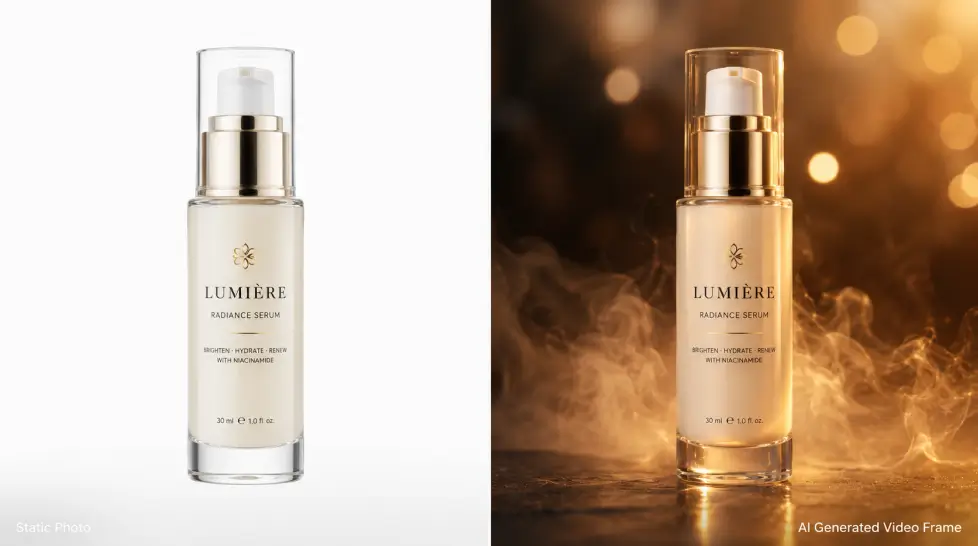
Quick rundown. Product to Video takes a still photo of your product and animates it into a short cinematic clip. You can:
- Add slow camera moves (orbit, dolly-in, slow pan) without warping the product
- Add ambient context — steam from a coffee cup, water droplets on a bottle, light bloom on jewelry
- Keep the product label, logo, and shape locked so it doesn’t morph mid-clip
- Output in 9:16 for Reels and TikTok, 1:1 for feed, or 16:9 for YouTube and Amazon
Under the hood it’s running models like Kling 3.0 Omni, Veo 3.1, and Seedance 2.0. You don’t really need to know which one is doing what. You just need to know which style fits your product. I’ll get to that in a minute.
One more thing it does well: it keeps text readable. This was the biggest fail with older AI video tools. Labels would turn into nonsense halfway through the clip. Looks like a fever dream. Not good for selling face cream.
Step-by-step: how to create product video ads with AI
Here’s the exact workflow. I’ll use a coffee bag as the example because it’s a category I keep testing.
Step 1: Start with a clean product photo
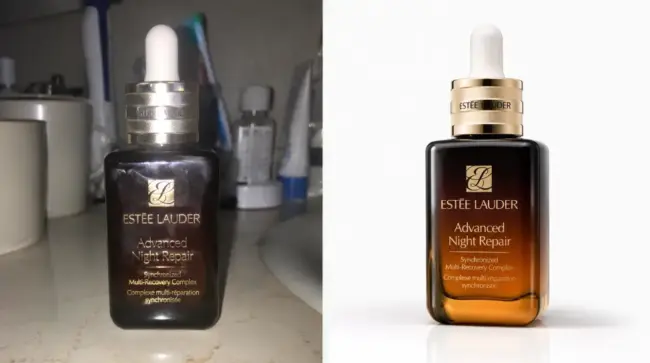
Garbage in, garbage out. If your product photo is blurry, badly lit, or has a busy background, the AI will inherit those problems. You don’t need a studio. You need:
- A well-lit shot (window light works fine)
- A clean or neutral background — or use AI Background Remover first
- The product centered, not cropped at weird angles
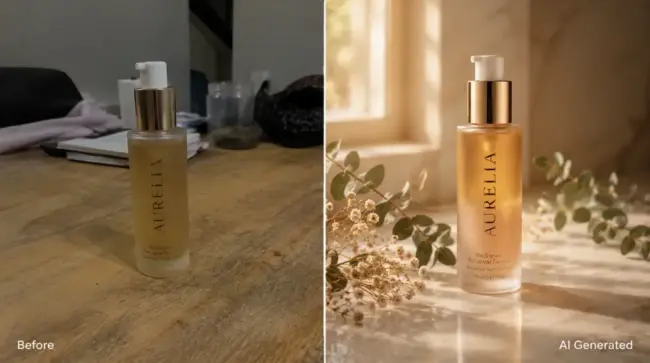
If you only have rough phone shots, run them through AI Product Photography first to get a studio-quality version. Then animate that.
Step 2: Upload to Product to Video
Drop the image in. You’ll see prompt options and style presets. For ecommerce, the prompt matters more than people think.
Step 3: Edit & Describe on Canvas
Don’t write “Coffee bag video.” That’s useless. Write what you want the viewer to feel.
Bad prompt: Coffee bag video
Good prompt: Slow cinematic orbit around this coffee bag on rustic wood, soft morning sunlight, steam rising from a nearby mug, shallow depth of field, premium artisan feel
See the difference? On the canvas, you can upload your product image, draw on it to highlight areas, drop in reference images to show style or mood, add text annotations to guide specific details — then your prompt ties it all together with the feeling, camera move, and atmosphere you want. That’s how you go from a plain product photo to a cinematic video on the first try instead of the eighth.
If you want more help with prompts, the prompt writing tips guide carries over to video work pretty well.
Step 4: Pick your aspect ratio
- Amazon main video: 16:9 or 1:1, 15-30 seconds
- Shopify product page: 1:1 or 4:5, 10-20 seconds
- Instagram Reels and TikTok ads: 9:16, 7-15 seconds
- Facebook feed: 1:1, 15 seconds max
I usually generate the 9:16 version first because that’s the hardest to crop into from other ratios. Then I make the 1:1 separately if needed.
Step 5: Generate, review, regenerate
First generation isn’t always the winner. Expect to run it twice or three times. Watch for:
- Label distortion (does the text stay clean?)
- Product shape changes (does the bottle still look like the same bottle at second 8?)
- Weird hands or floating objects in the background
If something’s off, tweak the prompt and run again. Each generation takes about 30-60 seconds.
Step 6: Add sound
This is where most sellers stop too early. A silent product video looks cheap. Use the Video Sound Generator to add ambient audio — coffee pouring, a soft swoosh, gentle background music. Takes another 30 seconds. Huge upgrade.
Best styles per product category
Not every style fits every product. Here’s what I’ve found actually works.
| Category | Best style | Camera move |
|---|---|---|
| Beauty & skincare | Soft studio, pastel lighting, glossy surfaces | Slow orbit or rotation |
| Food & beverage | Natural light, steam/condensation, lifestyle context | Dolly-in, slow push |
| Apparel & accessories | Editorial, model adjacency, fabric movement | Pan across, fabric flow |
| Electronics | Dark backdrop, dramatic lighting, light streaks | 360 orbit, parallax |
| Home & decor | Lifestyle room context, golden hour | Slow zoom out to reveal |
| Pet products | Bright playful, action implied | Quick zoom, energetic pan |
One mistake I made early on: trying to use dramatic dark-backdrop electronics style on a candle brand. Looked like a perfume ad directed by a Bond villain. Not the vibe a cozy candle wants. Match the style to the buyer’s emotional state, not your own taste.
A specific failure (and how I fixed it)
I tried to animate a textured ceramic mug with steam rising from inside. The first three generations? The steam looked great. The mug handle… morphed. Like it was breathing. Looked haunted.
Fix: I added “static handle, locked product shape, no movement on the mug itself” to the prompt and pushed all the motion into the steam and background. Worked on the fourth try.
Lesson: when something specific breaks, tell the AI exactly what to keep still. Don’t just describe what should move.
Repurpose for Instagram and TikTok ads
This is the part that makes the math work. One product, one video session, five different ads.
From a single Product to Video output you can pull:
- 15s Reels ad with on-screen text hook in the first 2 seconds
- TikTok spark ad with creator-style captions overlaid
- Facebook feed ad at 1:1 with a different hook
- Amazon Sponsored Brands video with your logo at the end
- Pinterest idea pin with a static end card
For the hook text on Reels and TikTok, write something that creates curiosity in 5 words or less. “This sold out in 3 days.” “Why is everyone buying this?” “Wait for the bottom.” Stuff like that. The AI gives you the visual. You bring the words.
If you want a deeper walkthrough of the ad creation flow specifically, this cinematic ads guide covers it. And if you’re shopping around for the right tool, here’s a comparison of product to video tools worth reading before you commit.
What product to video AI won’t do for you
Quick honesty check. AI product video won’t:
- Fix a bad product. If the offer doesn’t convert with photos, video won’t save it.
- Replace human testimonials. UGC-style reels with real customers still outperform pure AI ads in many categories.
- Handle complex assembly demos. If you need to show 7 steps of how a thing works, you still need a real video shoot or a screen-recorded animation.
What it will do? Cut your production cost by 95%, your turnaround time from 2 weeks to 20 minutes, and remove the bottleneck that stops most small brands from running video ads at all.
The sub-$30 ad budget play
Here’s a real workflow I’ve used for a side project. Single subscription. Five products. Twenty videos in a weekend.
- Saturday morning: shoot 5 clean product photos with phone + window light
- Run them through AI Product Photography to upgrade to studio quality
- Generate 4 video variants per product (different styles, angles, moods)
- Add sound with Video Sound Generator
- Export 1:1, 9:16, and 16:9 versions
- Sunday: launch tests on Meta and TikTok with $5/day per ad
Five days later you’ll know which products and which video styles are working. Then you scale the winners.
That’s the whole game now. Not who has the biggest production budget. Who can test the most ad variants the fastest.
Start with one product
Don’t try to do your whole catalog in week one. Pick your best-selling SKU. Make 3 video variants. Run them as ads. Look at the data.
Then do the next product.
The sellers winning at ecommerce video right now aren’t the ones with the prettiest single ad. They’re the ones shipping volume — 20, 50, 100 video variations across their lineup, learning which hooks and styles convert in their category. AI product video is what makes that possible without a $100k production budget.
So go make a bad one first. Then a better one. Then a great one.
That’s the only way this works.
Frequently Asked Questions
It’s a tool that takes a flat product photo and turns it into a short video ad with motion, camera moves, and sometimes sound. You give it an image, pick a style or write a prompt, and the AI handles the rest. No camera. No editor. No studio rental.
Yes. Amazon allows seller videos on product detail pages, in Sponsored Brands video campaigns, and Posts. The main rules: no misleading claims, clean audio, and the product should match what’s being sold. AI-generated videos that show your actual product accurately are fine.
MagicShot’s Product to Video works well for ecommerce because it preserves the actual product (no warped logos or melting labels) while adding cinematic motion. You also get Kling 3.0 Omni, Veo 3.1, and Seedance 2.0 in one subscription, so you can test different models on the same product.
For the product page, 10 to 20 seconds works best. For Instagram and TikTok ads, aim for 7 to 15 seconds with the hook in the first 2 seconds. Longer videos drop off fast in feed.
Not necessarily. You can use the Video Sound Generator to add ambient audio that matches the visuals, or layer your own voiceover later. For social platforms, most viewers watch muted anyway — so on-screen text matters more than audio.