


Best AI Video Generators for Social Media Content in 2026
- 7 min read
- Published: May 18, 2026
- Harish Prajapat
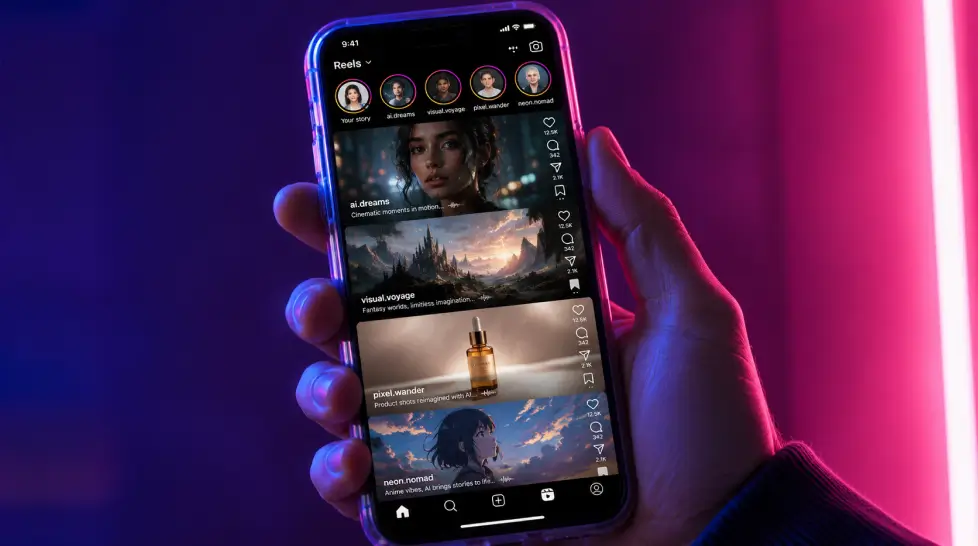
Short-form video isn’t a trend anymore. It’s the entire feed. Open Instagram, open TikTok, open YouTube. Reels, TikToks, Shorts. That’s the homepage now.
And here’s the problem. You can’t shoot enough of it. Nobody can. Not without burning out, blowing a budget, or both. That’s why an AI video generator for social media stopped being a curiosity and turned into a real tool people use every single day.
I’ve spent the last few months testing nearly every one of these. Some are great. Some are overpriced. A couple felt like demos pretending to be products. This post is the honest version of what I found. What works for Reels. What works for TikTok. And what to actually use if you want to ship content this week, not next quarter.
What makes a good AI social video
Before tools, criteria. Because if you don’t know what ‘good’ looks like, every generator feels equally fine and equally useless.
Here’s what separates an AI video that performs from one that gets scrolled past in half a second:
- Hook in the first frame. Not the first three seconds. The first frame. If your opening doesn’t earn a pause, the rest doesn’t matter.
- Vertical 9:16, native. Not cropped. Generated for vertical from the start.
- Motion that means something. Random zooms don’t help. Camera moves should reveal, not distract.
- Sound design. Most AI tools forget this. Sound is half the experience.
- Faces that don’t break. One bad lip sync and the whole video reads as fake. Quality of facial animation matters more than resolution.
- Short. 7 to 15 seconds for hook content. 21 to 34 for stories. Anything longer better have a reason.
That last point matters. Research suggests 3-7 short-form videos per week for consistent growth on TikTok, Instagram Reels, and YouTube Shorts. So you need volume. Which means you need speed. Which means AI.
Best AI video tools for Reels, TikTok, and Shorts in 2026
Let’s get into it. I’ll be blunt about each one. Strengths, weaknesses, what it actually costs you in time and money.
MagicShot
Full disclosure, this is the platform I write for. But it’s also the one I use most often, so let me explain why.
MagicShot bundles top AI video models like Kling Omni, VEO 3.1, Seedance 2.0, and Wan 2.6 under one subscription. So you’re not picking a tool, you’re picking a model for the job. Need cinematic motion? VEO. Need fast iteration? Seedance. Same dashboard, same credits.
It also includes 28+ viral video effects built specifically for short-form. Angel Wings. Garden Bloom. Hulk Effect. The kind of stuff that already trends on TikTok. You upload a photo, pick an effect, get a clip. No prompt engineering.
Weakness? If you only need text-to-video and nothing else, you’re paying for features you won’t touch. Worth it if you make varied content. Less worth it if you’re laser focused on one format.
Runway Gen-3
Beautiful output. Genuinely cinematic. The motion has weight to it.
But. Slower than most. Pricier than most. And the credit system burns fast when you’re iterating. Great for a hero piece. Not great for daily Reels grind.
Pikalabs
Fun. Loose. Stylized. Pika is the tool that feels playful. Tools like Pollo AI and CapCut are excellent starting points if you want to create high-quality content fast, while Kling AI and Runway Gen-3 Alpha are better for advanced creative projects. Pika sits somewhere between those camps. Solid for animated and surreal stuff. Less great for anything that needs to look like a real human.
HeyGen
The avatar king. If you want a talking-head Reel without filming yourself, HeyGen does it cleaner than anyone. The lip sync is genuinely good on short clips.
Limitations though. VEED’s avatar offering improved in 2026 but still sits a tier below dedicated avatar platforms. HeyGen is the dedicated one. But the avatars still feel a bit corporate. Better for explainer content than viral hooks.
Opus Clip
Different category, but worth including. Opus doesn’t generate. It clips. You feed it a long video. It finds the moments most likely to go viral and cuts them into vertical Reels.
If you already have podcasts, webinars, or YouTube content, this is the fastest repurpose route. If you’re starting from zero, it’s the wrong tool.
Invideo AI
Text-to-full-video. You type ‘make me a 30-second Reel about morning routines’ and it stitches together stock, voiceover, captions. Volume tool. Not a craft tool.
Kling
Strong physics. Strong realism. Especially good with motion that involves human bodies. The downside is generation time. You wait. And you wait. And then you get something genuinely good.
Available through MagicShot if you don’t want a separate subscription.
Comparison table
Here’s the side-by-side. Honest pricing, honest verdict.
| Tool | Best for | Starting price | Speed | Vertical 9:16 native |
|---|---|---|---|---|
| MagicShot | Mixed content, effects, all-in-one | $9/mo | Fast | Yes |
| Runway Gen-3 | Cinematic hero clips | $15/mo entry | Slow | Yes |
| Pika | Stylized and surreal | $10/mo | Fast | Yes |
| HeyGen | Talking-head avatars | $29/mo | Fast | Yes |
| Opus Clip | Repurposing long video | $19/mo | Very fast | Yes |
| Invideo AI | Full auto-stitched videos | $20/mo | Fast | Yes |
| Kling | Realistic human motion | $10/mo | Slow | Yes |
Why MagicShot is the move for viral short-form
Look, I’ll spare you the brochure pitch. Here’s the practical reason MagicShot keeps winning for social.
It’s not one tool. It’s the stack.
You shoot a photo. Run it through Image to Video to get a clip with controlled motion. Add a viral effect from the 28+ catalog. Drop a generated sound layer on top. Done. Three steps, three minutes, one Reel.
Compare that to the alternative. Pay HeyGen for avatars. Pay Runway for cinematic shots. Pay Pika for stylized clips. Pay a separate sound tool. Pay an editor to stitch it all together. You see where this goes.
The other thing nobody mentions. Consistency. When all your content runs through the same platform, it starts to look like your content. Same color tone. Same motion language. Same vibe. That’s what builds a feed people recognize.
For the deep dive on which effects actually trend, I’d point you at this breakdown of viral video effects for social media. And if you want the broader strategy piece, the viral short videos and images with AI guide covers the playbook end to end.
One honest limitation. MagicShot’s video generation is fast but not instant. Complex prompts with VEO 3.1 still take a couple minutes. If you need a clip in 10 seconds for a live trend, you’ll feel that wait. Just being real.
5 content ideas you can create today
Theory’s nice. Examples are better. Here are five ideas you can actually generate in the next hour.
1. The ‘before/after’ transformation
Take a photo. Generate a video where the subject morphs into something else. A messy room becoming clean. A blank canvas becoming a painting. A person walking from city to forest. Transformations crush on Reels because they reward staying till the end.
Tool: Image to Video plus a transition effect.
2. The faceless creator hook
If you don’t want to be on camera, generate a stylized avatar that delivers your line. Run a script through an avatar tool. Cut it to 15 seconds. Add bold captions. Add cinematic visuals and synchronized audio—including dialogue and sound effects—into any project.
This format prints. Especially for finance, productivity, and self-improvement niches.
3. The ‘POV you are in [insert wild place]’
Take a photo of yourself. Drop yourself into a movie scene, a fantasy world, a 1920s speakeasy. Generate the motion. Post with a hook like ‘POV: you woke up in…’ These do numbers because the curiosity gap is built in.
4. The viral effect challenge
Pick whatever effect is trending right now. Angel wings. Hulk transformation. Garden bloom. Whatever. Apply it to a photo. Post with the trending sound. Done.
This is the lowest-effort, highest-ceiling format. The platform organizes your clips based on a virality score: it ranks each clip based on the likelihood it has to be popular. Some tools even rank your output by virality potential, which removes some of the guesswork.
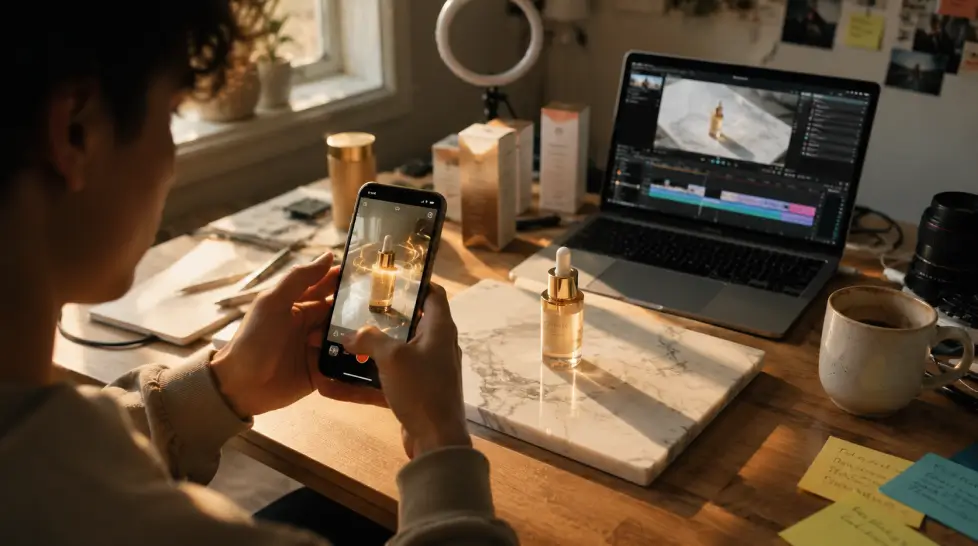
5. The product reveal Reel
For brands and creators selling something. Photograph the product. Animate the reveal. Add a generated motion shot of the product in use. Hook with the problem it solves in the first frame.
This is where AI video earns its keep. A studio shoot for a single product Reel runs hundreds. AI version, maybe $5 in credits.
How to actually start
You don’t need a plan. You need one Reel.
Pick one of those five ideas. Open MagicShot. Generate it. Post it. Watch what happens.
Then do another one tomorrow. And one the day after. The creators winning with AI video aren’t the ones with the best prompts. They’re the ones who shipped the most.
The tools are ready. Models like Kling Omni, VEO 3.1, and Seedance 2.0 are putting out clips that genuinely compete with traditional production. The platforms are ready. Reels and TikTok algorithms love consistent vertical video. The audiences are ready, they’re literally scrolling right now.
You’re the variable. So go.
Start generating your first AI social video here and see what your feed looks like a month from now.
Frequently Asked Questions
It depends on what you’re making. For talking-head Reels, Synthesia or HeyGen win. For viral b-roll and effects-driven content, MagicShot covers more ground because it pairs image-to-video with 28+ ready-made video effects under one subscription. Try a few free trials before you pick.
Aim for 7-15 seconds for the hook-heavy stuff and 21-34 seconds for storytelling. AI tools usually generate 5-10 second clips, so you’ll stitch a few together. Vertical 9:16 is non-negotiable.
On most paid plans, yes. MagicShot, Runway, Kling, and HeyGen all grant commercial rights on paid tiers. Always check the license on your specific plan before using AI video in ads.
Yes, but the AI is the tool, not the trick. What goes viral is the hook in the first second and the payoff. AI just lets you test 10 versions in the time it used to take to shoot one.
Research suggests 3-7 short-form videos per week for steady growth on TikTok, Reels, and Shorts. Daily posting helps the algorithm, but only if quality holds up. Don’t sacrifice the hook to hit a number.