

What Are the Best Professional Headshot Generator Tools in 2026?
- Best Tools
- 5 min read
- Published: January 21, 2026
- Harish Prajapat
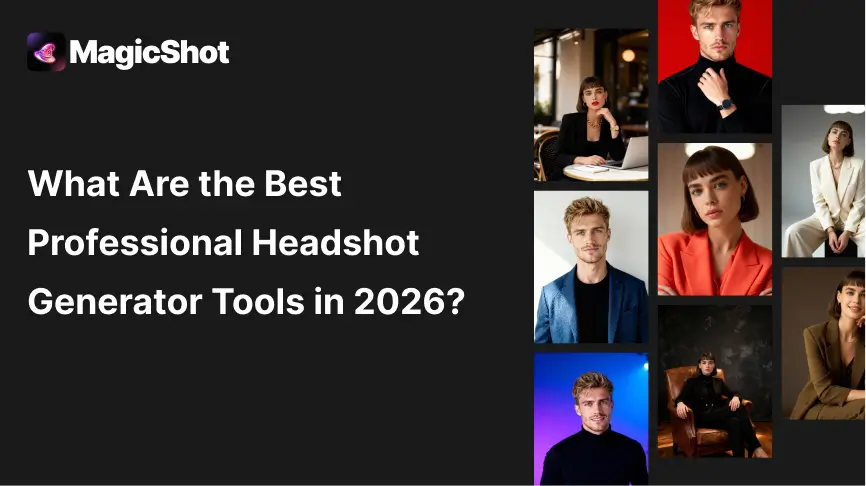
Why Professional Headshot Generators Matter in 2026
Your headshot is often your first impression. Recruiters and clients usually see your photo before they read your bio, so a clean, professional image can improve response rates on LinkedIn, emails, proposals, and job applications.
A professional headshot generator is popular because it reduces friction. You can try multiple looks without scheduling a shoot, traveling, or paying editing fees. The tradeoff is realism. AI is improving, but it still makes subtle mistakes in skin texture, hair edges, and facial details.
Benefits of Using an AI Professional Headshot Generator
AI headshot tools are useful when you need speed, variety, and acceptable quality.
- Save money: Often cheaper than a studio session.
- Save time: Results in minutes instead of days.
- Try multiple looks: Different outfits, backgrounds, and lighting.
- Remote team friendly: Helps standardize headshots without coordinating schedules.
What We Used to Rank These Tools
We ranked each professional headshot generator based on what matters in real use.
User experience: How fast and simple it is for a first-time user.
Professional styling: Business-friendly backgrounds, outfits, and lighting.
Consistency: How many outputs are usable without heavy re-tries.
Pricing value: Whether paid upgrades improve deliverables meaningfully.
Image quality: Sharpness and realism at typical LinkedIn and resume sizes.
Top 5 Professional Headshot Generator Tools in 2026
1) MagicShot: AI Headshot Generator

MagicShot is built specifically for professional headshots, so the workflow is simpler than general AI art tools. The UI is easy to follow, and the output tends to be more consistent, especially for straightforward business looks.
Key Features
- Guided workflow optimized for business headshots
- Professional lighting and background presets
- Output consistency designed for LinkedIn-ready images
Pros
- Simple interface that most users finish on the first try
- Consistent framing and professional styling
- Good value if you need multiple usable options quickly
- 4K image quality
Cons
- Limited free attempts
Best For
Job seekers, founders, freelancers, and anyone who wants a clean headshot without overthinking settings.
2) Aragon AI
Aragon AI is widely used and marketed heavily, but the experience can feel less predictable. When results are good, they look professional. When results are off, they can look noticeably artificial.
Key Features
- Corporate headshot styles
- Multiple output variations per session
- Popular option with broad recognition
Pros
- Strong lighting in many outputs
- Professional vibe for classic corporate looks
Cons
- Inconsistent facial accuracy across generations
- Pricing can feel high compared to the hit-rate
Best For
Users willing to test multiple runs to find a few strong images.
3) Headshot Pro
Headshot Pro is positioned for teams, so it focuses on uniformity. That consistency is helpful for company pages, but it can also make faces feel less natural.
Key Features
- Team-focused workflows
- Consistent corporate styling
- Bulk generation approach
Pros
- Good for maintaining a uniform team look
- Straightforward for HR and admins
Cons
- Outputs can look stiff or overly smooth
- Not ideal for individuals who want personality and realism
Best For
Companies updating staff directories and About pages where consistency matters.
4) Remaker AI
Remaker AI is a general AI tool that includes portrait and headshot generation. It can create interesting looks, but it is not purely optimized for business headshots.
Key Features
- Flexible portrait generation options n- Creative styles alongside professional modes
- Useful as a supporting tool for variations
Pros
- Lots of style experimentation
- Helpful for creators who want variety
Cons
- Professional headshots can look stylized
- More settings can mean more trial and error
Best For
Creators and freelancers who want both professional and social-friendly portraits.
5) Cutout.pro
Cutout.pro is best known for editing tasks like background removal, retouching, and enhancement. It is useful when you already have a real photo and want it to look cleaner.
Key Features
- Fast background removal and replacement
- Basic enhancement and cleanup tools
- Quick workflow for polishing real images
Pros
- Excellent for editing and finishing touches
- Simple UI and fast output
Cons
- Not a true professional headshot generator from scratch
- Results can look like edits, not studio photography
Best For
Polishing a real headshot or improving an existing photo for LinkedIn.
Quick Comparison
If you want a simple way to decide, use this rule.
MagicShot for best overall balance. Aragon AI if you are willing to retry for a few great results. Headshot Pro for teams. Remaker AI for variety. Cutout.pro for editing an existing real photo
Frequently Asked Questions
MagicShot is the best overall choice for ease of use and consistent business-ready results.
They are improving, but most still show subtle artifacts in skin texture, hair, or glasses.
Paid plans usually increase resolution and reduce artifacts, but realism is still not perfect.
Yes, if it looks professional and still resembles you clearly.
Use clear images with good lighting, neutral backgrounds, and multiple angles.
It is mainly an editing tool. It is best for polishing a real photo rather than generating one.
Use a professional headshot generator like MagicShot, then refine the best result with light editing.
Related blogs
Get the latest news, tips & tricks, and industry insights on the MagicShot.ai blogs.
February 24, 2026
Future of Artificial Intelligence: How AI Will Shape the World
February 4, 2026