

How to Turn a Simple Photo Into a Professional Headshot for Every Platform
- MagicShot Features
- read
- Published: January 27, 2026
- Harish Prajapat
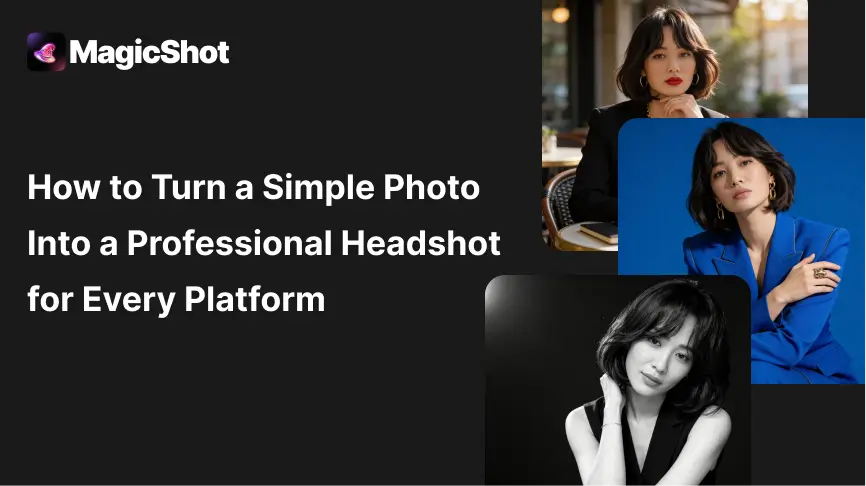
A professional headshot is not just about looking good. It is about looking right for the context. Use one high-quality base image, refine lighting and background, preserve facial realism, and export multiple optimized versions tailored for LinkedIn, resumes, corporate profiles, and personal branding platforms.
Why Professional Headshots Matter More Than Ever
Recruiters and clients form impressions in seconds. According to hiring studies referenced by LinkedIn and Harvard Business Review, profile photos strongly influence perceived trust, competence, and approachability. In remote-first and digital hiring environments, your headshot often replaces the first in-person interaction.
AI-powered headshot tools have lowered the barrier significantly. Instead of booking a studio, professionals can now generate polished results while keeping control over style, expression, and brand alignment. The key difference between average and high-performing headshots lies in optimization, not generation.
Start With the Right Base Photo
Choosing between an AI headshot and a traditional studio shoot depends on budget, time, and flexibility. Based on the reference workflow and industry standards, here is a clear comparison.
AI Headshot
- Cost-effective or included in a subscription
- Turnaround in minutes
- Multiple styles from a single photo
- Easy updates when your role or branding changes
- Low pressure, created remotely
Traditional Studio Shoot
- High cost per session
- Requires scheduling, travel, and setup
- Limited outfit and background options
- Long editing and delivery timelines
- Retakes often require a new booking
For most professionals, AI headshots offer faster iteration and better adaptability, while studio shoots still suit highly controlled executive or brand campaigns.
Headshot Style Examples by Use Case
Environmental Professional Headshot

Corporate Studio Headshot
Monochrome Editorial Headshot
Optimizing Headshots for LinkedIn
LinkedIn is the most image-sensitive professional platform. Profiles with high-quality headshots receive significantly more views and connection requests.
Your LinkedIn headshot should be cropped from mid-chest upward, with your face occupying roughly 60 percent of the frame. Eye level should sit slightly above center. Backgrounds work best when they are clean, softly blurred, or neutral, such as light gray, soft blue, or modern office environments.
Expressions matter. A slight, natural smile consistently outperforms serious or overly posed looks. Clothing should align with your industry. Corporate roles favor blazers and structured tops, while creative roles allow more relaxed styling.
Export LinkedIn images at 400 by 400 pixels or higher, in a square format, with sharp facial detail and minimal compression.
Optimizing Headshots for Resumes and CVs
Resume headshots are more conservative and region-dependent. In markets where photos are standard, the goal is clarity and professionalism rather than personality.
Use a tighter crop than LinkedIn, typically head and shoulders only. Backgrounds should be plain and distraction-free, usually white, light gray, or very subtle gradients. Clothing should be formal and neutral.
Avoid dramatic lighting, artistic shadows, or stylized edits. Resume photos should look timeless and neutral, blending seamlessly into the document rather than drawing attention.
Export at high resolution for print and PDF use, usually 600 by 600 pixels or larger, with true-to-life color balance.
Optimizing Headshots for Company Websites and Team Pages
Company profile images need consistency. Even strong individual headshots can look unprofessional when styles clash across a team page.
Use consistent framing, background tone, and lighting style across all images. Environmental portraits work well for modern companies, while classic studio-style headshots suit enterprise and finance brands.
Expressions should be approachable but restrained. Avoid heavy contrast or deep shadows that break visual harmony when displayed in grids.
Optimizing Headshots for Personal Branding and Social Platforms
Personal websites, speaking profiles, and creator platforms allow more flexibility. These headshots can show more personality while remaining professional.
You can experiment with warmer lighting, slightly wider crops, or expressive poses. However, facial clarity must remain high, especially at smaller display sizes.
For platforms like Twitter or portfolio sites, test circular crops to ensure your face remains centered and readable.
Common Headshot Mistakes to Avoid
Many AI-generated headshots fail due to over-editing. Skin that looks plastic, eyes that are overly sharpened, or backgrounds that feel artificial reduce credibility.
Another common mistake is using the same crop everywhere. Each platform rewards different framing and visual balance. One size rarely fits all.
Finally, mismatched styling can confuse your professional identity. Your headshot should align with your role, industry, and career goals.
A professional headshot is one of the highest-return investments in your career. Start with a simple photo, enhance it thoughtfully, and tailor it for every platform where your professional image appears.
Frequently Asked Questions
You can use the same base headshot, but it should be optimized differently for each platform. LinkedIn allows more personality, slightly wider framing, and softer backgrounds. Resume headshots should be more conservative, tightly cropped, and neutral to blend naturally into the document.
The best backgrounds are clean, simple, and distraction-free. Solid colors, soft gradients, or lightly blurred office environments work well. Bright patterns, busy scenes, or high-contrast textures should be avoided because they pull attention away from the face.
AI headshots should look completely natural and true to your real appearance. Skin texture, facial proportions, and expressions should remain realistic. Over-smoothed skin, exaggerated lighting, or altered facial features can reduce trust and appear unprofessional.
LinkedIn recommends a minimum size of 400 by 400 pixels, using a square format. For best quality, export at higher resolution while keeping the file size optimized. Your face should take up about 60 percent of the frame for clear visibility.
Yes, AI headshots are widely accepted as long as they accurately represent you and look professional. Recruiters care more about clarity, authenticity, and appropriateness than how the photo was created. Avoid overly stylized or artificial results for formal job applications.
Related blogs
Get the latest news, tips & tricks, and industry insights on the MagicShot.ai blogs.
February 24, 2026
Future of Artificial Intelligence: How AI Will Shape the World
February 4, 2026
How to Create Viral-Style Short Videos and Images with AI
January 21, 2026